Vocab Sync
Vocab Sync is an Omeka S module for controlled vocabularies where each term has a stable id. Rename a term once and every item, item set and media that uses it shows the new name at once — no find and replace, no batch edit. It can import an existing Custom Vocab (Terms mode), and everything it does is logged and can be undone.
- Omeka S 4.x · Custom Vocab is needed only to import from it
- Licence: GPL-3.0-or-later (see
LICENSE) - Issues and questions: https://github.com/phumraphee/VocabSync/issues
Why
Custom Vocab in Terms mode stores the text of a term in each value (value.value = "Cat").
When "Cat" is renamed "Domestic cat" in the list, the values already saved still say "Cat", and
there is no way to know which old words were the same term — only to guess by position.
Vocab Sync stores the term's id instead (value.value = "42") and reads the current label
every time a value is shown, exported or searched. It is the same idea as Custom Vocab's Items
mode, except that a term is a row in a small table of this module, not an Omeka item, so it
does not add to the item count.
Screenshots
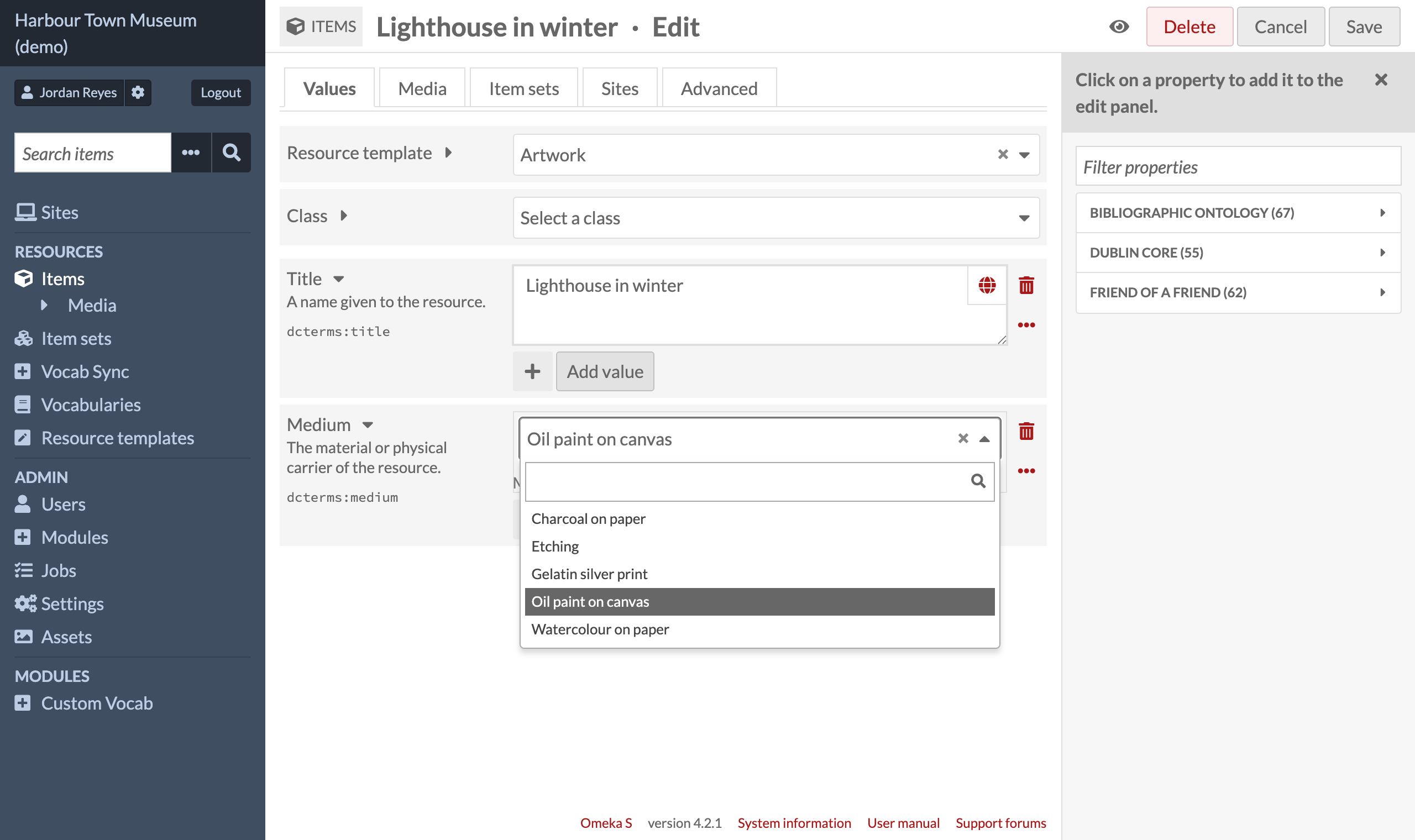
The edit form — a searchable dropdown; a word that is not in the list can be added from there (Editor and above, after a confirmation):
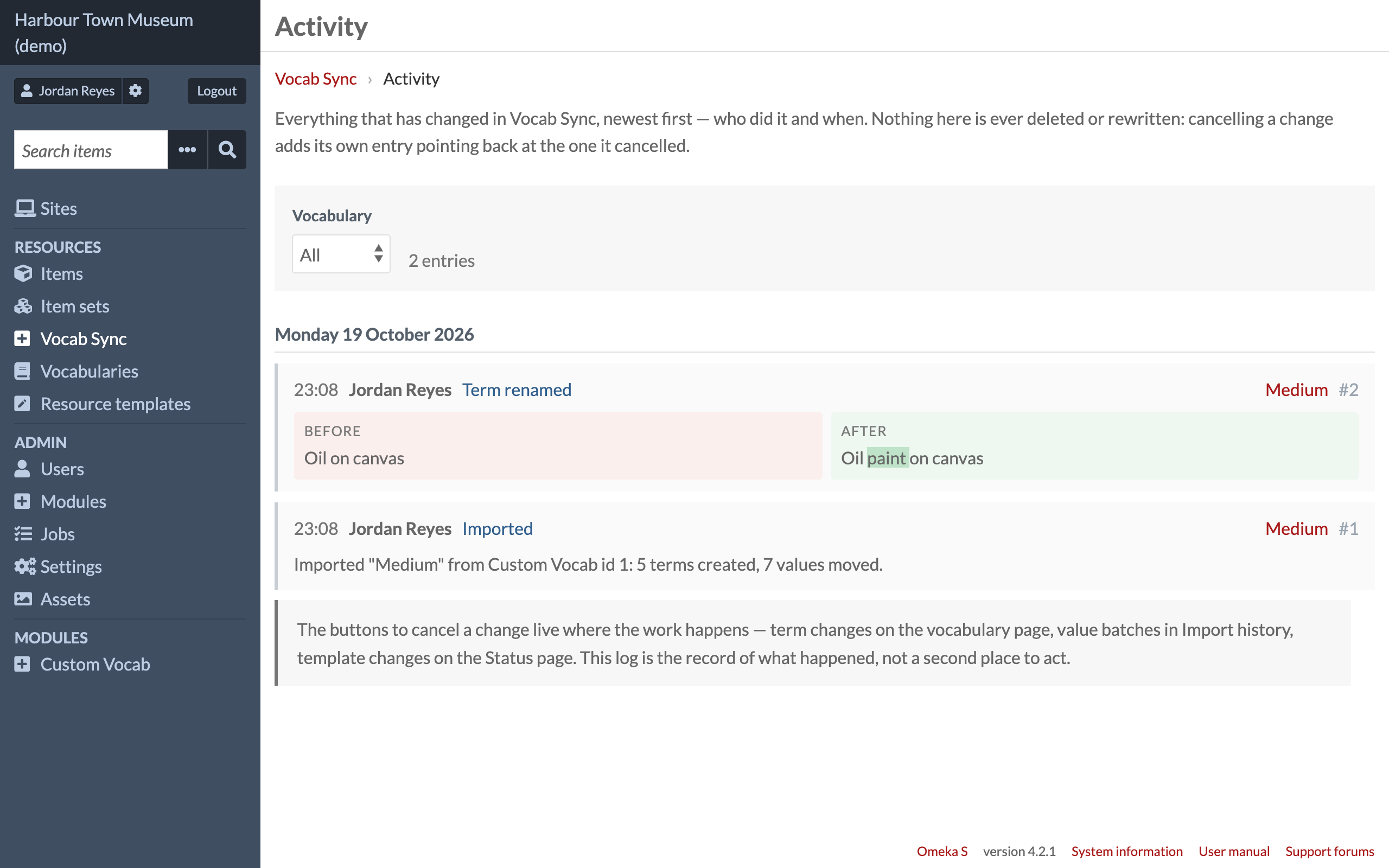
Rename once, see it everywhere — the activity log shows each change with before and after:
All screenshots are from a demo site with made-up data.
Install and first use
- Unzip into
modules/VocabSync(the folder name must stay exactly that) and install it in Admin → Modules. - Admin → Vocab Sync → make a vocabulary and add a few terms (or import a Custom Vocab).
- In a resource template, set a property's data type to your vocabulary (listed under Vocab Sync).
- Edit an item: choose a term from the dropdown, or type a new one and press + Add ….
- Rename the term in Vocab Sync and open the item again: it shows the new name, with nothing edited on the item.
What it does
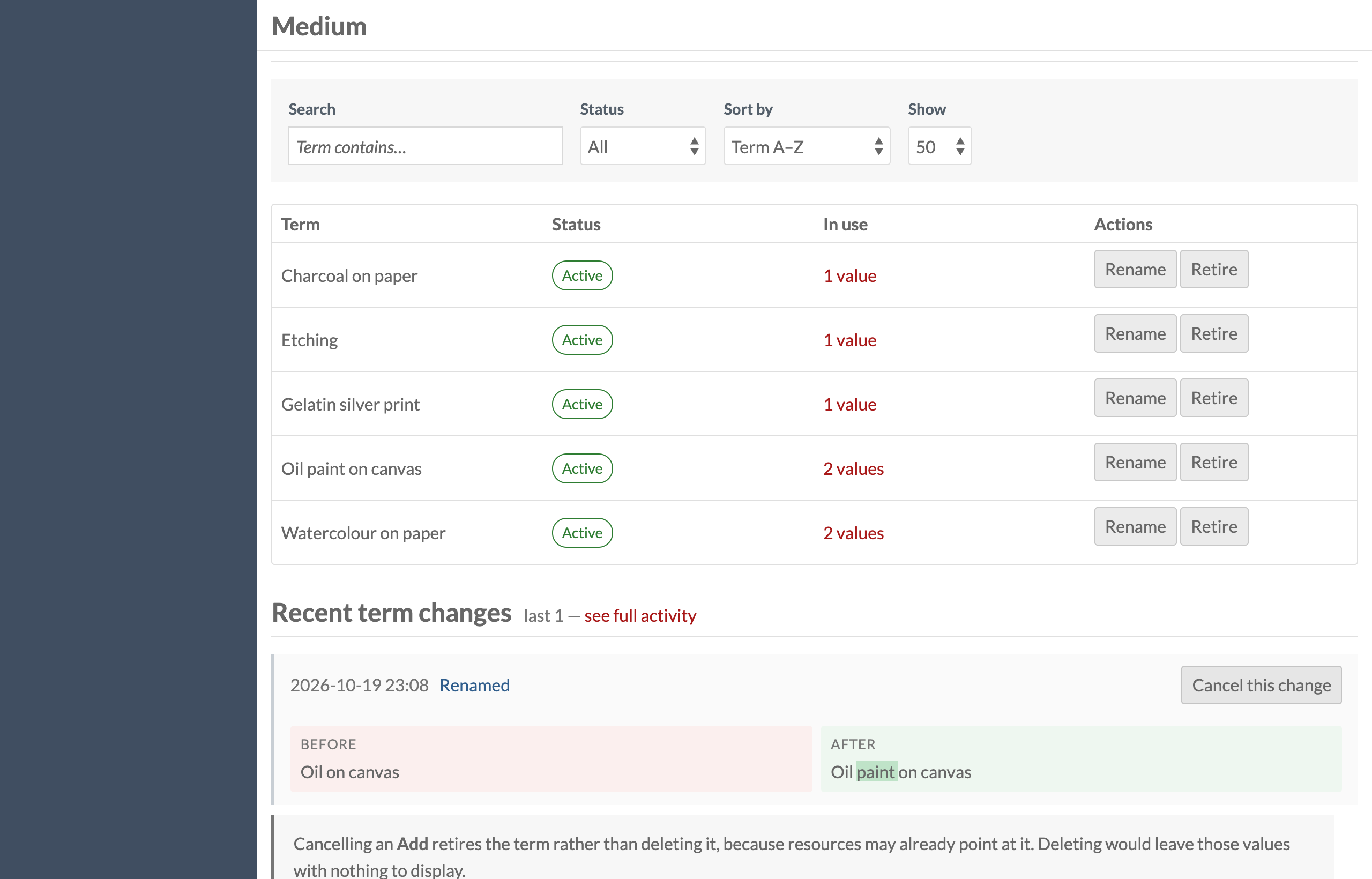
- Manage terms — add, rename, retire and bring back, delete (only when unused, after a confirmation), order alphabetically or by hand, search, filter, and see which resources use a term. Download the list as CSV.
- Retire rather than delete — a retired term stays on the values that use it but cannot be chosen again.
- Words are compared exactly — upper and lower case do not count, accents and tone marks do ("Cafe" and "Café" are two terms), although MySQL's default collation would treat them as equal.
- The search filter bar shows the term's name instead of its number.
- Activity — one log of everything done in the module, by day, with before and after; each entry can be undone.
- Templates — shows which templates still point at a Custom Vocab and switches them over (and back), keeping a snapshot.
Import from Custom Vocab
Import reads Custom Vocab lists in Terms mode only, then:
- makes a new vocabulary and a term for every word;
- moves every value that used that Custom Vocab and whose text exactly matches a term to the new data type, keeping a snapshot of each value;
- leaves values that match no term untouched and lists them (Recheck), to be matched later automatically or by hand;
- switches the data type in resource templates too, when that box is ticked (the default).
The original Custom Vocab is never changed or deleted. Revert puts the values back exactly from the snapshot; values edited again since the import are skipped, not overwritten.
Removing the module
Deactivating removes nothing. Before uninstalling, run Freeze before removing module: it
writes each term's current label into its values and makes them plain text, so nothing is left
as a bare number. Uninstall refuses to run while any Vocab Sync value remains. Freeze cannot be
undone and asks you to type FREEZE first.
Things to know
- Values written through the API may send the word or the id in
@value; the module stores the id.@valueis read as a word first (a term may be called "1961"). To name a term for certain, send its id invocabsync:term_idas well, the way the edit form does and the API hands it back: whenvocabsync:term_idis a term of the list and@valueis that term's word, or that same id, the id is taken (1.38.2). Two terms with the same word are then kept apart too. - Renaming a term says which wording it was opened on. If somebody else renamed the same term in the meantime, the rename is refused and the page says what the term is called now, so one rename never silently undoes another (1.38.3).
- The module writes values with its own SQL (one statement for a whole vocabulary). When the Revision History module is installed, each record those writes change is handed to it, so the record's history says what changed and who pressed the button (1.39.0). With Revision History 1.2.1 or later this works for a rewrite of any size: the write stays one statement and the history is written from a copy of the values as they were. Renaming a term notes the new wording on every record that uses it. With Revision History 1.2.2 or later each such write is one entry for all the records it changed (each record's page shows it, with only its own values), which keeps a rewrite of a whole vocabulary to a few seconds.
- Export modules that read the database directly (instead of through Omeka's representations) would export ids, not words. Test a small export first.
- Every change the module makes (adding, renaming, retiring, deleting and ordering terms, adding or deleting a vocabulary, importing, rechecking) needs Editor, Supervisor or Global Administrator; other roles can open every page and choose terms on the edit form.
- Freeze, Revert, undoing an import and switching templates rewrite values across the whole
archive, so they need Global Administrator. The two role lists are
VocabSyncDataType::TERM_EDITOR_ROLESandVocabSyncDataType::WHOLE_ARCHIVE_ROLES.
Licence
Copyright (C) 2026 Phumraphee Sae-tang
This program is free software: you can redistribute it and/or modify it under the terms of the
GNU General Public License as published by the Free Software Foundation, either version 3 of the
License, or (at your option) any later version. See LICENSE.