Tify (module for Omeka S)
Tify is a module for Omeka S that displays IIIF manifests and images with TIFY, a slim and mobile-friendly IIIF document viewer made by the Göttingen State and University Library. TIFY supports the IIIF Presentation API and the IIIF Image API, versions 2 and 3, and IIIF collections.
The module puts the viewer in four places:
- a resource page block "TIFY viewer" for item, media and item set pages (themes with configurable resource pages, Omeka S 4.1+);
- a site page block "TIFY viewer", showing attached items or media, or any manifest given by URL;
- a "IIIF viewer" tab on the admin item page;
- below items (and optionally on browse pages) in older themes without resource page blocks.
Themes can also call the viewer directly: <?= $this->tify($item) ?>.
It is modelled on the Universal Viewer module and shares its source of manifests, so both can be installed side by side.
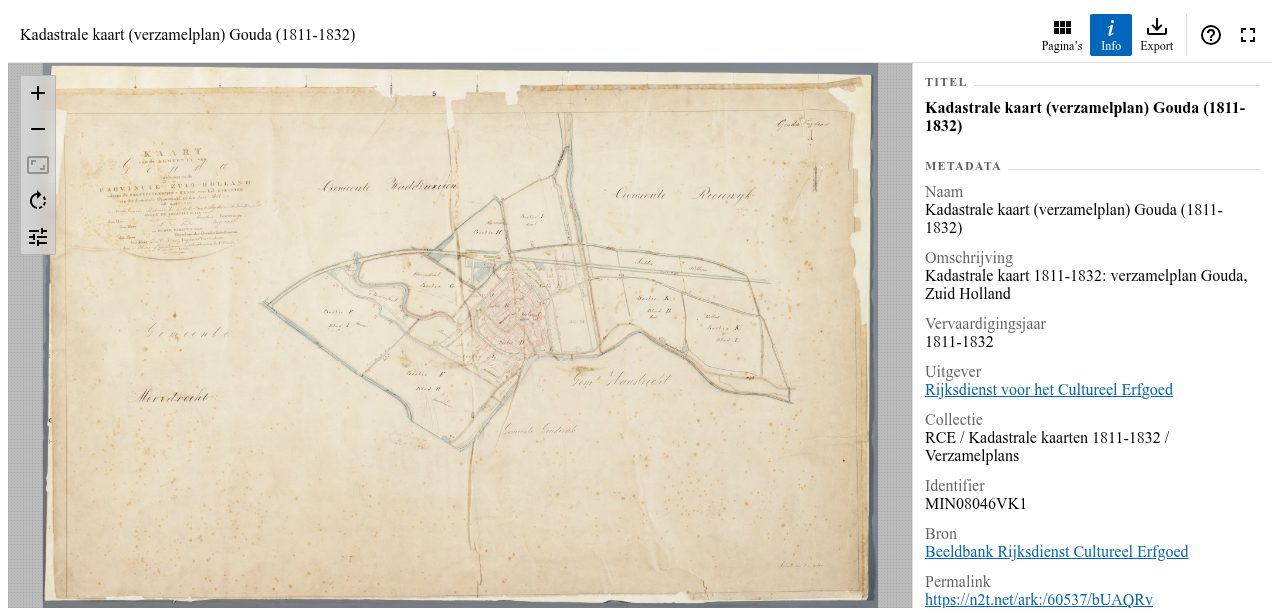
Contents
- Requirements
- Installation
- Where the manifest comes from
- Configuration
- Main and site settings
- Additional TIFY options (JSON)
- Displaying the viewer
- Design choices
- Updating TIFY
- Development
- Roadmap
- License
Requirements
- Omeka S 4.1 or later, PHP 8.1 or later.
- A source of IIIF manifests: either the module IIIF Server (which builds manifests from the files of your items, usually together with Image Server for the images), or URLs of existing manifests stored in a property of your resources.
There are no other dependencies. TIFY itself (version 0.36.2) is bundled in
asset/vendor/tify/, so the viewer works without a CDN or a build step.
Installation
Download the zip of the latest release, unzip it into the modules/
directory of Omeka S and make sure the directory is called Tify. Then
install the module in the admin under Modules.
From git:
cd modules
git clone https://github.com/coret/Omeka-S-module-Tify.git Tify
The repository contains the TIFY build, so a clone is complete as it is.
Where the manifest comes from
For each resource the module looks for a manifest in this order:
- An external manifest: the first
http(s)URL in the property chosen in the module configuration (Modules → Tify → Configure), by defaultdcterms:hasFormat. URI values and literal values containing a URL are both accepted; links to other Omeka resources are ignored. This setting (iiifserver_manifest_external_property) is shared with the modules IIIF Server and Universal Viewer, so it is configured once for all of them, and it is left in place when Tify is uninstalled. - The manifest of IIIF Server, if that module is active and the item has files (or the item set has items).
- Otherwise no viewer is shown.
A media is shown through the manifest of its item, and the viewer opens on that media's page (counted among the image media of the item, which is how IIIF Server orders its canvases). Several resources together, for example the attachments of a site page block, are shown as a IIIF collection built by IIIF Server; TIFY opens the first manifest of the collection.
Configuration
Main and site settings
The viewer settings are in the group TIFY viewer, both in the main settings (Settings) and in the settings of each site (Sites → Settings). A site setting left empty uses the main setting. The admin uses the main settings only.
| Setting | Default | Description |
|---|---|---|
| Height | 640px |
CSS height of the viewer: px, em, rem, vh, vw, svh, dvh or %. A plain number is read as pixels. TIFY needs a fixed height, it does not size itself to its content. |
| Color mode | Automatic | TIFY's colorMode. Automatic follows the color-scheme of the theme, System the preference of the browser; Light and Dark force a mode. |
| Panels | text, thumbnails, toc, info, export, collection |
TIFY's views: the panels next to the image, in this order. Unknown names are dropped. TIFY leaves out panels the manifest has no content for (no full text, no table of contents, not a collection). search (IIIF Content Search) is also accepted, but needs a TIFY build with a search view, see tify-iiif-viewer/tify#361; the bundled release has none and would show an empty button. |
| Panel opened at start | none | TIFY's view. With None only the image is shown at start; on wide screens the image is always visible next to an open panel. The site setting has an explicit None to override a panel set in the main settings. |
| URL query key | empty | TIFY's urlQueryKey. When set, the page, zoom, pan, rotation, filters and open panel are kept in the URL of the Omeka page, under this key, so a copied link opens the viewer in the same state. Leave empty to disable. When a page has several viewers, the second gets <key>-2, the third <key>-3, and so on, since TIFY needs a unique key for each. |
| Additional TIFY options (JSON) | empty | Any other TIFY option; see below. |
| Show the viewer on the admin item page | on | Main settings only: adds a "IIIF viewer" tab to the item page in the admin. |
| Show the viewer automatically | Item page | Site settings only, and only for themes without configurable resource page blocks: show the viewer below the item page, and optionally on the item and item set browse pages (as a collection of the listed resources; requires IIIF Server). With a theme that has resource page blocks, add the "TIFY viewer" block in the theme's resource page settings instead. |
The interface language of TIFY follows the locale of the site (in the admin: the locale of the user, else the main locale). TIFY ships translations for Bulgarian, Chinese, Croatian, Dutch, Esperanto, Finnish, French, German, Italian, Japanese, Northern Sami, Polish, Albanian, Swedish and Turkish; any other locale gets English.
The settings are validated when saved: a height that is not a CSS length, a
query key with other characters than A-Z a-z 0-9 - _, and JSON that is not
an object are refused.
Additional TIFY options (JSON)
The field Additional TIFY options (JSON) takes a JSON object with any option from TIFY's configuration reference. It exists in the main settings, in the site settings and in each site page block. The options are combined in this order, later ones winning:
module defaults
  < main settings < site settings          (the form fields above)
  < main JSON < site JSON                  (this field)
  < block JSON                             (site page block only)
Combining is shallow, as in TIFY itself: each top-level key replaces the
whole earlier value. A site JSON {"viewer": {"showNavigator": true}} does not
add to a main JSON {"viewer": {"immediateRender": false}}, it replaces it;
repeat every nested property you want to keep. The module always sets
container and manifestUrl itself; manifestUrl can still be overridden in
the JSON, but the block's manifest URL field is the better place for that.
Some examples:
Page labels: show "page (label) / total" in the page selector, for example "3 (fol. 2r) / 120":
{
    "pageLabelFormat": "P (L) / T"
}
Start page and zoom, for a site page block that should open on a detail (pages start at 1; two pages show a spread):
{
    "pages": [5],
    "zoom": 2.5,
    "pan": {"x": 0.3, "y": 0.6}
}
Image filters and format: slightly brighter and more contrast, and WebP tiles from an image server known to provide them:
{
    "filters": {"brightness": 1.1, "contrast": 1.2},
    "preferredImageFormat": "webp"
}
OpenSeadragon options: TIFY renders images with OpenSeadragon and passes
viewer through to it, for example a navigator in the corner and smoother
loading:
{
    "viewer": {
        "showNavigator": true,
        "navigatorPosition": "BOTTOM_RIGHT",
        "immediateRender": false
    }
}
Manifest languages: show strings of a multilingual manifest in Dutch when they exist in neither the interface language nor English:
{
    "fallbackLanguage": "nl"
}
Switch off state in the URL for one site while the main settings enable it:
{
    "urlQueryKey": null
}
Invalid JSON is refused when the settings are saved. Should invalid JSON end up in the database anyway, it is ignored rather than breaking the page.
Displaying the viewer
Resource page block. In a theme with configurable resource pages, go to Sites → Theme → Configure resource pages and add the block "TIFY viewer" to the item, media or item set page.
Site page block. Add the block "TIFY viewer" to a page and attach one or more items or media, or fill in IIIF manifest URL under Options to show any manifest or collection, including one from another institution. The block also has a Height and its own Additional TIFY options (JSON). Block templates (Omeka S 4.1+) are supported, so a theme can offer its own variants of the block markup.
Admin. The item page has a tab "IIIF viewer" when the item has a manifest. Turn it off in the main settings.
In a theme. The view helper takes a resource, a list of resources or a manifest URL, and returns an empty string when there is nothing to show:
<?= $this->tify($item) ?>
<?= $this->tify($media) ?>                  <!-- opens on this media -->
<?= $this->tify($itemSet) ?>
<?= $this->tify([$item1, $item2]) ?>        <!-- a IIIF collection, needs IIIF Server -->
<?= $this->tify('https://example.org/iiif/manifest.json') ?>
<?= $this->tify($item, [
    'height' => '80vh',
    'class' => 'my-viewer',
    'tify' => ['view' => 'thumbnails', 'colorMode' => 'dark'],
]) ?>
$this->tifyManifestUrl($resource) returns just the manifest URL the viewer
would use.
To change the markup, copy view/common/tify.phtml into your theme. The
viewer element needs the class tify-viewer and the attribute
data-tify-options; asset/js/tify.js mounts every such element.
Design choices
- TIFY is bundled, not fetched. The 0.5 MB build is committed under
asset/vendor/tify/, so a release zip and a git clone both work offline and without composer or npm.data/scripts/update-tify.shreplaces it. - TIFY is loaded as an ES module. Since 0.36 the distributed
tify.jsis an ES module that also setswindow.Tify. Both scripts are added withtype="module", which runs them deferred and in order, so the starter script always finds TIFY. - Viewers start when they are needed. The starter mounts a viewer only once its element is near the viewport and has a size. Viewers far down a page cost nothing until scrolled to, and the viewer in the admin tab starts when the tab is opened (a hidden container has no size, which would leave OpenSeadragon with an empty canvas).
- TIFY is shielded from theme styles. TIFY renders real
<header>,<footer>and<h1>elements. Themes that style those globally for their own page header (header { position: fixed; top: 0 }, clearfix pseudo-elements, a fixed title width) would pull TIFY's toolbar to the top of the window.asset/css/tify.cssresets exactly the properties TIFY leaves to the browser, with two-class selectors that beat element rules without overriding TIFY's own. - Assets are versioned by their file. The asset URLs carry a hash of the file's time and size instead of the module version, so a stylesheet fix or a new TIFY build reaches browsers even when the site serves assets with an immutable cache, without a module version bump (which Omeka treats as an upgrade to run in the admin).
- No dependency on other modules. Unlike Universal Viewer, the module does
not require the module Common. IIIF Server is optional and detected at
runtime through its
iiifUrlview helper. - One shared manifest property. The external manifest property reuses the setting of IIIF Server and Universal Viewer instead of adding a fourth place to configure the same thing.
- Settings in an element group, as Omeka S 4 expects, rather than a fieldset: a fieldset would be stored by core as one nested setting.
- Empty site settings inherit. Each site setting falls back to the main
setting when left empty. The two exceptions where "empty" is a meaningful
value of its own have an explicit escape: None for the start panel and
{"urlQueryKey": null}for the URL state. - No output without a manifest. An item without files and without an external manifest renders nothing, not an empty viewer or an error.
Updating TIFY
data/scripts/update-tify.sh           # latest release on npm
data/scripts/update-tify.sh 0.36.2    # a given release
The script downloads tify.js, tify.css, the translations and TIFY's
license from jsDelivr into asset/vendor/tify/ and writes the version to
asset/vendor/tify/VERSION. Asset URLs are versioned by file, so browsers
fetch the new build without a module version bump. Then run the tests and check the TIFY releases for
changed options.
Development
OMEKA_PATH=/path/to/omeka-s php test/verify-wiring.php
test/verify-wiring.php runs against a real Omeka S installation without a
database or web server. It checks the configuration, the settings forms and
their validation, the order in which TIFY options are combined, manifest
resolution (external manifest, IIIF Server, media pages, collections), the
URL query key suffixes, escaping, the locale mapping and both block layouts.
Translations are in language/ (see language/README.md). Code style follows
Omeka S core: php-cs-fixer fix with the included .php-cs-fixer.dist.php.
Roadmap
- [ ] Show the viewer on the admin media and item set pages too.
- [ ] Per-block choice of the start panel and color mode as form fields instead of JSON only.
- [ ] Map a media to its canvas by canvas id rather than by position, once TIFY can open a canvas by id; the position assumes IIIF Server's order.
- [ ] More interface translations of the module itself (it ships English and Dutch).
License
This module is published under the GNU Affero General Public License v3.0
or later (AGPL-3.0-or-later), the license of TIFY, which is included in
asset/vendor/tify/ with its own license file.
TIFY is © Göttingen State and University Library, AGPL-3.0. This module is © 2026 Bob Coret.